A WordPress firewall is an essential security feature that can protect a website from online threats and cyber attacks. To help beginners as well as experienced users, this WordPress Firewall Guide explains what a WordPress firewall is, how a WordPress Web Application Firewall (WAF) functions, and how to choose and install the best WordPress security firewall for long-term protection, performance, and SEO stability.
Since WordPress sites are being regularly attacked by brute force techniques, bot traffic, malware injections, and DDoS attacks, the implementation of a properly configured WordPress firewall plugin or cloud-based firewall has become a responsibility, not a choice.
What Is a WordPress Firewall and Why It Matters
A WordPress firewall, in essence, is an extra security layer that acts like a vigilant watchdog against attacks like viruses or unwanted traffic. It prevents your WP core files, themes, plugins, and database from being compromised. In fact, it is very similar to a Web Application Firewall (WAF), which carefully inspects everything from HTTP requests, IP addresses, user behaviour, and payload data before deciding if the traffic is safe or harmful.
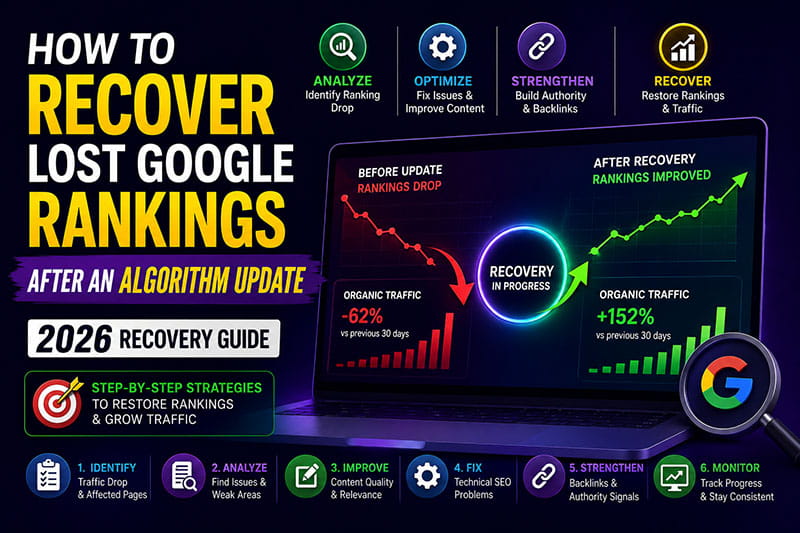
Attackers may take advantage of one or more security loopholes of your WordPress site, like outdated plugins, weak passwords, exposed XML-RPC endpoints, or insecure REST API requests if you don’t have a WordPress security firewall. Eventually, such activities may cause your site to be infected with malware software, get spammed through page creation, receive Google Safe Browsing warnings, and suffer drastic drops in organic rankings.
Understanding WordPress WAF (Web Application Firewall)
A WordPress WAF (Web Application Firewall) is a security system made to protect WordPress sites specifically at the application layer. While traditional firewalls deal with network traffic, a WordPress WAF can identify the internal workings of WordPress and stop the attacks that exploit WordPress vulnerabilities.
If a WordPress WAF is set up correctly, it will help you to prevent brute force attacks, filter out unwanted bot traffic, stop SQL injection, cross-site scripting, and XML-RPC attacks, as well as secure the REST API. For these reasons, a WordPress WAF is among the most powerful tools to shield WordPress sites from both automated and targeted attacks.
How a WordPress Firewall Works in Real-World Scenarios
Before WordPress actually processes a request, the firewall checks it when a visitor or bot attempts to access a WordPress site. The firewall examines the request headers, the IP reputation, the frequency of requests, and behavioral patterns. If the request corresponds to malicious signatures or is an abnormal behavior, it is blocked immediately.
Besides that, next-generation WordPress firewall systems also offer DDoS mitigation mainly by rate-limiting the requests that are too many and checking the traffic distribution across worldwide networks. In this way, the server won’t get overloaded, and the site will be available even during attack spikes.
DNS-Level Firewall vs Server-Level Firewall in WordPress
A DNS-level firewall is a type of firewall that is commonly used by services such as Cloudflare, WordPress firewall, and Sucuri WordPress firewall. It prevents malicious traffic from reaching the hosting server. This method provides greatly enhanced DDoS mitigation, quicker loading times, and better Core Web Vitals as the traffic gets filtered at the network edge.
Conversely, a server-level firewall is one that is installed in and works directly with the hosting environment. It may give you greater control over the server rules, but at the same time, it demands technical knowledge, and the global traffic filtering advantages of a DNS-level firewall are not available to it.
A DNS-level firewall in conjunction with a WordPress firewall plugin is probably the best security setup for most business websites, booking platforms, and WooCommerce stores.
WordPress Firewall Plugins and Application-Level Protection
A firewall plugin for WordPress operates in the WordPress environment and guards the site once the traffic has arrived at the server. Some of the most commonly used WordPress firewall plugins are Wordfence, iThemes Security, and All-in-One WP Security. They come with features such as WordPress WAF rules, login protection, malware scanning, and activity logging.
Besides being good at dealing with most threats, plugin firewalls do not block the traffic at the network level. This is the reason why websites with heavy traffic generally use both a plugin-based WordPress firewall and a cloud-based one like Cloudflare or Sucuri.
Best WordPress Firewall Solutions for Different Use Cases
A WordPress firewall is an important element for SEO performance. Secure websites that keep users away from malware and phishing attempts are given priority by search engines. When a site is hacked or infected, it may show Google Safe Browsing warnings, which significantly lowers visitors and trust.
Furthermore, DNS-level firewalls are beneficial for Core Web Vitals since they cache the content, thereby lessening the server response time and keeping out hostile bot traffic. The shorter load time and the greater stability lead to better rankings, user experience, and conversion rates.
Common WordPress Firewall Configuration Mistakes
Most website owners, without any doubt, tend to believe that the security of hosting alone is sufficient, which results in WordPress-specific loopholes remaining unguarded. Some people, on the other hand, install several WordPress firewall plugins, thus leading to conflicts and malfunctioning of the website. Not setting up XML-RPC protection and REST API security properly, which are often used to attack the site, is also a common mistake.
Incorrect firewall settings may be the reason why genuine search engine bots get blocked without the owner’s knowledge, thus no crawlers would get the pages for indexing. It is very important to constantly look at the situation and tweak the rules so that the security kept at a high level does not deny access to the proper users.
Best Practices for Long-Term WordPress Firewall Security
To get the most out of it, a WordPress firewall should be used alongside regular updates, strong authentication policies, limited admin access, and dependable backups. Regular monitoring of firewall logs can help spot repeated attack patterns and thus enhance the accuracy of the rules step by step.
A WordPress security firewall, when set up properly, is like a silent army always working to secure the site without any disruption to user experience or SEO visibility.
Final Verdict: Do You Really Need a WordPress Firewall?
Yes,definitely. Installing a WordPress firewall is one of the essential security measures for any WordPress website. It doesn’t matter if you go for a WordPress firewall plugin, a Cloudflare WordPress firewall, or a Sucuri WordPress firewall. The main secret is setting up a multi-layer defense system that has WAF rules, bot filtering, brute force protection, and DDoS mitigation.
Given the current level of threats, if you operate a WordPress site without a firewall, you are putting your business, SEO rankings, and data at unnecessary risk.