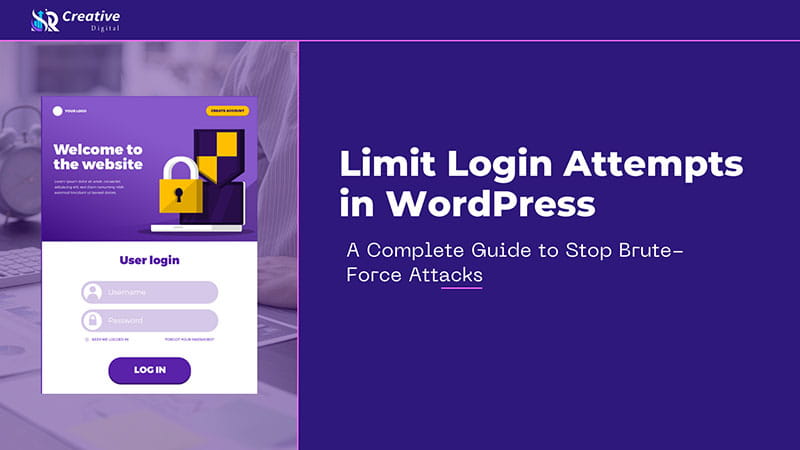
Limiting login attempts in WordPress is a security technique that restricts how many times a user or bot can try to log in with incorrect credentials. This protection helps stop brute-force attacks by automatically blocking repeated failed login attempts, reducing the risk of unauthorized access and improving overall site stability.
What Are Login Attempts in WordPress?
A login attempt in WordPress is basically when anyone tries to get into the website by entering their username and password on the login page and then pressing the login button. These are both successful and unsuccessful login trials.
Usually, WordPress allows a user to try logging in as many times as they want without any limitation. This kind of behavior exposes WordPress sites to attacks, as hackers can keep guessing the passwords endlessly without getting locked out. So, the first step to making the WordPress admin area really secure is knowing what are login attempts.
Why Limiting Login Attempts Is Critical for WordPress Security
One of the main reasons why it is crucial to limit login attempts on any WordPress website is because brute-force attacks have become a standard method of attack nowadays.
Automated bots routinely crawl the web in search of WordPress login pages and try millions of password combinations within a very short time. If there are no restrictions, these attacks can go on forever, thus the chances of a hack success rising with each attempt.
Site owners who limit the number of failed logins offer WordPress attackers a hurdle that shuts off their access at once and does not allow them to perform any further attack attempts.
How Brute-Force Attacks Work on WordPress
Brute-force attacks are mainly conducted through automation without the use of intelligence. The attackers utilize scripts or bots which are capable of trying numerous common username and password pairings on WordPress login pages. Such bots are aimed at predictable login URLs while taking advantage of the WordPress feature that allows unlimited login attempts by default.
In the long run, these nonstop requests may cause the server to be overloaded, the website to be slowed down, and eventually, if a weak password is found, unauthorized access. Limiting login attempts helps to disrupt this attack method by inhibiting continuous failures from getting too far.
Benefits of Limiting Login Attempts in WordPress
WordPress sites become more secure in several ways when you limit the number of login attempts. The first and most obvious benefit is that there are fewer opportunities for hackers because they get locked out after a few failed attempts. Also, it lessens the abusive traffic from bad bots, thus keeping the server more responsive, the site faster, and always up.
Moreover, restricting login attempts not only enhances the reliability of the entire web platform but also cuts the chance of the site being down, and thus, it solidifies user and search engines’ confidence. A well-protected website is, among other things, more stable, and stability via SEO effect is one of the most indirect aspects.
Best Ways to Limit Login Attempts in WordPress
When it comes to limiting login attempts on WordPress, there are a few very effective ways that stand out. They are all pretty much different levels of difficulty. If you ask most website owners, they will tell you that they prefer the use of plugins. The reason behind this choice is that plugins are very easy to configure, and there is no need for technical knowledge.
On the other hand, some people with a lot of experience may decide to go for server-level restrictions or a custom code solution. In general, the ones with significantly high traffic usually combine login limits with firewall services. Whatever method is chosen, the objective remains unchanged: to prevent multiple failed login attempts from turning into a security threat.
Limiting Login Attempts Using a WordPress Plugin
Using a plugin is the most practical and widely recommended way to limit login attempts in WordPress. Security plugins are designed specifically to monitor failed login activity and automatically block IP addresses or users after a defined number of attempts. These plugins operate in the background and require minimal configuration.
Once enabled, they track login behavior in real time and apply restrictions when suspicious activity is detected. This approach is especially effective for beginners because it minimizes the risk of misconfiguration while providing strong protection.
Limiting Login Attempts Without a Plugin
There are a few WordPress users who do not like using plugins, and so they use server-level controls to restrict login attempts. The method here is to configure hosting security features, firewall rules, or server files so that only certain IP addresses can access the login page.
The downside is, this approach, which can be quite strong, is very technical and requires a lot of care. One tiny error might cause you to be locked out or the site to show errors. Hence, in most cases, it is better to plugin limit login attempts only for those users who have a good understanding of server configurations.
Recommended Login Attempt Settings for WordPress
Setting the right options for the number of login attempts is crucial in balancing security and convenience. Allowing a fair number of tries makes sure that genuine users don’t get locked out by mistake while still keeping bots out.
The time for which an account is locked should be enough to make the attacker give up, but not so long that a normal user gets annoyed. If these settings are done right, they form a solid layer of protection that operates quietly without disturbing the regular login process.
Common Mistakes to Avoid When Limiting Login Attempts
Many WordPress site owners make a mistake in thinking that a strong password alone is enough to keep hackers out. Of course, having a strong password is a good start, but it cannot fully prevent automated attacks from happening. At the same time, a mistake that is almost as common is that people set limits too strictly, so that legitimate users get blocked very fast.
To make things worse, if users don’t pay attention to their login logs and security notifications, they will be left in the dark if attackers are constantly trying to break in. So, not making these mistakes helps a lot in making the login attempt limits work without any disruption to the usual site operations.
How Limiting Login Attempts Helps SEO and Performance
Limiting login attempts is not a factor that improves a website’s ranking on Google directly, but it plays an important role in the overall health of a website. Brute-force attacks are essentially when your server gets attacked by a large number of login attempts, and this obviously uses up resources.
Search engines like to show their users websites that are fast, stable, and secure. In this way, focusing on login attempt limits not only keeps the website
FAQs About Limiting Login Attempts in WordPress
secure but also helps the site gain better SEO rankings and provides a better user experience.
- Many website owners wonder whether limiting login attempts alone is enough to secure WordPress.
- While it is a powerful measure, it works best when combined with other security practices such as two-factor authentication, CAPTCHA, and regular updates.
- Another common concern is whether legitimate users might get blocked. With proper configuration, this rarely happens because normal users do not fail login attempts repeatedly.
- Limiting login attempts is safe for most WordPress sites, including blogs, business websites, and online stores.
Is limiting login attempts enough to stop hacking?
No. It should be combined with:
Strong passwords
Two-factor authentication
CAPTCHA
Firewall protection
Will limiting login attempts block real users?
No, if settings are done correctly. Usually, normal users do not fail login 5 times.
Is a plugin safe for login security?
Definitely, it is safe to use reputable security plugins, and they are highly recommended by many.
Does this affect WooCommerce or membership sites?
Not really. The limitation on the number of login attempts is only enforced after several times of failures.