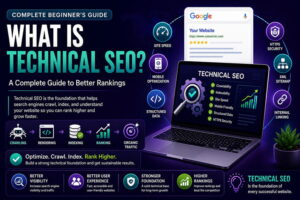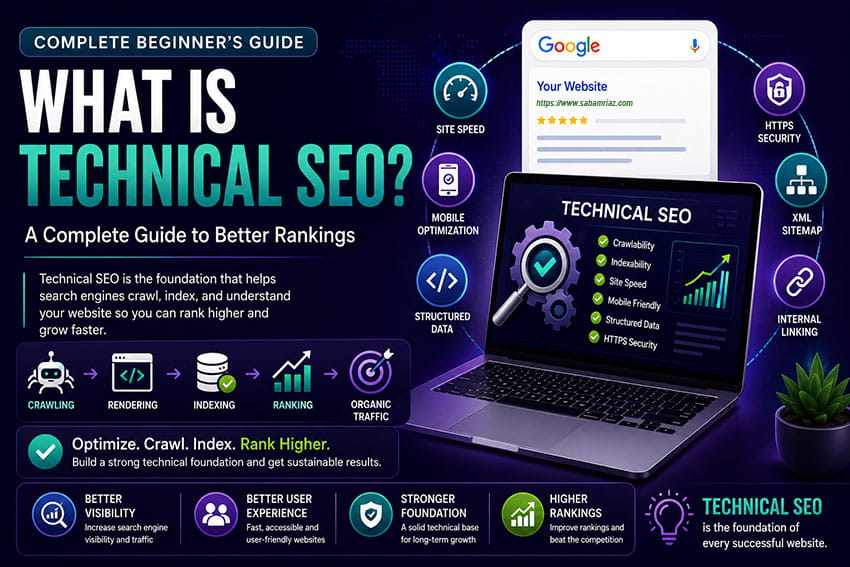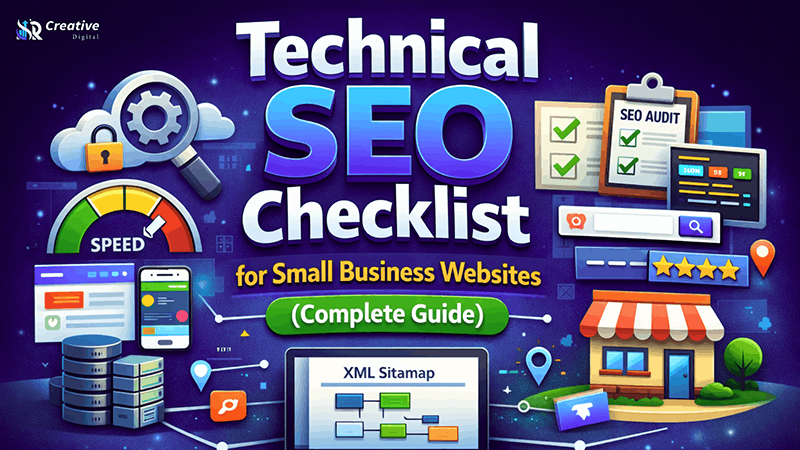
Technical SEO basically serves as the groundwork that enables the search engines to make a proper crawl, index, and rank of your website. Of course, content and keywords matter, but one of the main reasons small business websites do not get ranked is that there are technical issues on their websites that prevent the search engines from fully understanding the pages.
An optimized technical structure not only helps the site load faster but also enhances mobile usability, security, crawl efficiency, and in turn, overall search visibility. Any small business trying to compete locally and nationally through the internet will find SEO-tech very helpful in letting Google know, understand, and rank their website without challenges.
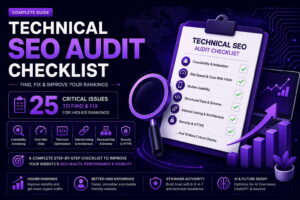
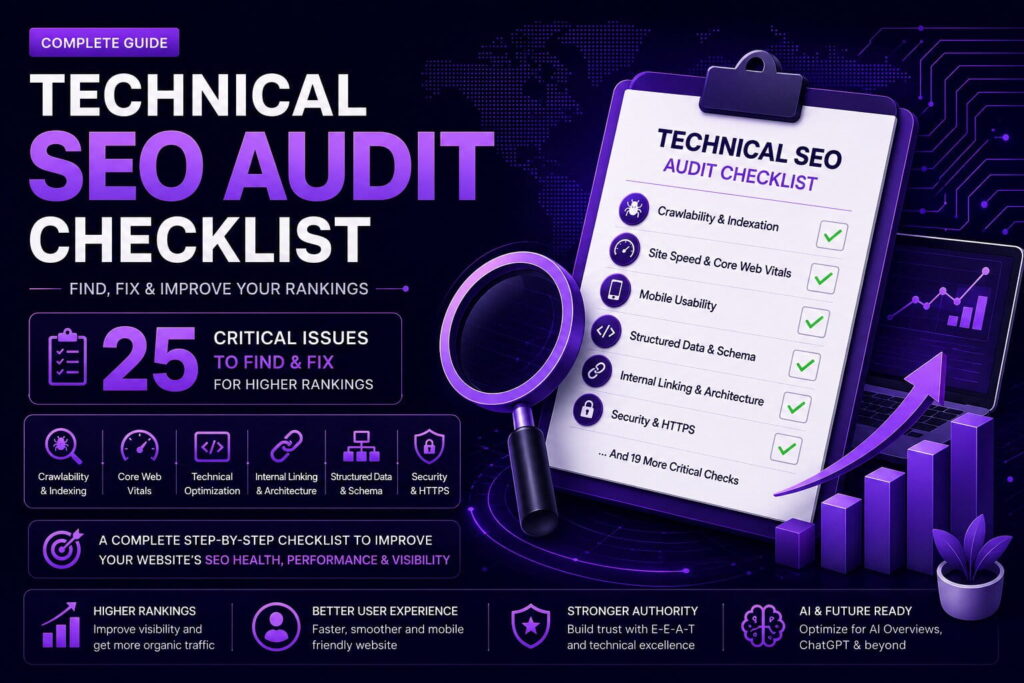
This thorough technical SEO questionnaire is designed to lead you step-by-step through all the essential optimizations that will improve your website’s search engine performance and ensure positive results for the long-term.
What Is Technical SEO?
Technical SEO is basically about making your website’s layout more search engine friendly that allows the engines to properly crawl, render, and index the pages. In contrast to content creation, it is more about backend revisions.
Technical SEO, as different from on-page SEO, which deals with enhancing the visible content, is about making sure that the working of your website’s architecture, speed, security, and indexing is proper.
Technical SEO is very important at the level of small businesses because even small technical issues may cause a significant drop in visibility, thus lower the rankings, and waste the marketing efforts.
1. Ensure Proper Website Crawlability
Basically, search engines send bots to crawl the website and find its pages. Thus, if your website blocks such bots or causes errors in crawling, it is likely that the most important pages will never be shown in search results.
You need to make sure that your robots.txt is not asking for the blocking of indispensable pages, by mistake. This file should, on the one hand, allow the search engine bots to access the service pages, blog posts, and category pages.
Internal linking, in addition, should follow a logical pattern, such that any important page can be reached from the homepage within just a few clicks. A low-depth site structure not only makes for more efficient crawling but also spreads the link authority evenly over the whole website.
With the help of Google Search Console, you can see and correct issues that lead to crawl errors and basically fix any such things that are broken links, redirect loops, or server errors, rendering to be a barrier to indexing.
2. Optimize Website Speed and Performance
Page speed is a factor in ranking as well as a signal for user experience. It is common for small business websites to feature heavy themes, uncompressed images, and scripts that are not necessary, which altogether make the page load slowly.
Some of the ways in which a website’s speed can be improved are: images should be compressed, CSS and JS files should be minimized, browser caching should be enabled, and a good hosting provider should be used.
Core Web Vitals are a set of metrics that include Largest Contentful Paint (LCP), First Input Delay (FID), and Cumulative Layout Shift (CLS). These are very important performance metrics that Google uses to determine user experience. Working on these metrics not only helps to achieve better rankings but also increases user engagement.
Websites that load quickly can keep visitors from bouncing off the site and can raise the number of people who make purchases, especially when the website is accessed via a mobile device.
3. Make Your Website Fully Mobile-Friendly
Google has adopted mobile-first indexing, which means that it mostly looks at the mobile version of your site when deciding on rankings.
A mobile-friendly website should have a responsive layout, text should be easily readable without the need to zoom, there should be enough space between buttons, and loading times on mobile devices should be very fast.
For small businesses that have local customers, it is of utmost importance to optimize for mobile because the majority of local searches are conducted via mobile devices.
By testing the website on various device screens, one can be sure of the website’s performance and user-friendliness.
4. Secure Your Website with HTTPS
Website security is one of the factors that directly influences the rankings. An SSL certificate ensures that your website is served over HTTPS rather than HTTP, which not only protects data but also builds trust.
If you don’t have HTTPS, browsers might display some security warnings that will make users reluctant to visit your site.
For small businesses, which usually get customer inquiries, form submissions, or online payments, SSL encryption is a must both from an SEO point of view and for the trust factor.
5. Fix Indexing Issues
Indexing is what decides whether your pages show up in search results. Even if the pages are full of great content, they won’t rank if they aren’t indexed.
You can look for “noindex” tags, check that canonical tags are not mistakenly pointing to the wrong URLs, and see if there is duplicate content that confuses search engines.
With the help of the Google Search Console’s Index Coverage report, you can find out which pages are not indexed and figure out why it is so.
If done correctly, indexing will make sure that your highest-value pages can be found in search results.
6. Create and Submit an XML Sitemap
An XML sitemap plays an important role in helping search engines locate and comprehend the layout of your site. It’s like a map which shows the main pages that the search engine should crawl and index.
Websites of small businesses with limited brand authority get great value from sitemaps as these guide the search engines to their freshest or updated content in a quicker time.
Once you have created a sitemap, you can submit it to Google Search Console to make the crawling process more efficient and to be sure that your pages are being covered.
7. Implement Structured Data (Schema Markup)
Structured data allows search engines to figure out your content in more depth. With schema markup, the search results get enhanced by displaying rich snippets such as customer ratings, FAQs, company information, and product/service details.
Different types of schema, such as Local Business, FAQ, and Article, can help small businesses become more visible and attract more clicks.
Besides that, structured data can facilitate AI interpretation of your content, therefore making your material more likely to be featured and summarized in AI-generated search results.
8. Optimize URL Structure
Well-organized and meaningful URLs contribute positively to the overall user experience as well as help search engines understand better.
Your URLs need to be concise, easily understandable, and must contain the main keyword in a natural way. Stay away from parameters, random numbers, or very long URLs.
Establishing a proper URL hierarchy not only helps crawlers to better navigate your site but also enhances topical relevance.
9. Manage Canonical Tags and Duplicate Content
Duplicate content may lead to search engines getting confused, and it also divides the ranking signals. Canonical tags are used to indicate to search engines which page version should be the main one.
Small businesses on CMS platforms, unaware of this, often generate duplicate URLs through the use of filters, tags, or category variations. A correctly implemented canonical tag means that ranking signals are not divided but consolidated.
10. Improve Internal Linking Structure
Internal linking not only connects related pages but also helps spread your site’s authority. Moreover, it aids search engines in comprehending content relationships and topical relevance.
By way of illustration, your SEO On-Page guide would be well-linked to your Technical SEO checklist, thereby forming an effective cluster of SEO content.
When your anchor text is descriptive, it is easier for search engines as well as AI to understand the context.
11. Fix Broken Links and Redirects
Broken links cause the users to have a bad experience, and the search engine spiders find it difficult to crawl the website efficiently. In addition, redirect chains slow down the loading of pages and make it difficult for the bots.
Through regular technical audits, you can find 404 errors and unnecessary redirect loops. Using clean 301 redirects will not only save the link equity but also allow an uninterrupted user journey.
12. Monitor Technical SEO with Search Console
Google Search Console plays an important role in tracking crawl errors, indexing, security issues, and performance reports.
According to studies, regular check-ups help small businesses identify technical glitches quickly and keep their search visibility stable.
The truth is that technical SEO is not a one-time thing but a continuous optimization approach.
Why Technical SEO Is Critical for Small Business Growth
Technical SEO is basically your website’s backbone. Without it, content and backlinks are like missiles without guidance systems.
It is a well-known fact that small businesses with very few marketing dollars can get the most out of their investment in technical optimization because it increases their organic visibility and gives them more stable traffic over time.
A technical optimized site keeps its rankings better, gets its pages loaded quicker, wins the trust of its users, and thus has a higher conversion rate.
Wrapping up
Technical SEO is essential for the visibility of search engines. Through the enhancement of crawlability, speed, mobile usability, indexing, structured data, and site architecture, small business websites can win their search competitions more effectively.
Going through this comprehensive technical SEO checklist guarantees your site is more than ready for not only Google’s ranking algorithms but also the AI-powered search systems that focus on clarity, structure, and semantic relevance.
On-going measuring and adjustment would be driving forces that eventually bring your business to a state of sustainable growth and online success in the long run.
Frequently Asked Questions
What is technical SEO for small businesses?
Technical SEO for small businesses is basically like fixing the hardware of your website to make it work better and faster, making it easy for search engines to crawl, index, and rank it higher.
How often should technical SEO be performed?
Technical SEO audits are advisable to be done at least 3 to 6 months apart to uncover crawl errors, indexing issues, and performance problems.
Is technical SEO different from on-page SEO?
Indeed, technical SEO is about the backend of your website, while on-page SEO is all about the content and elements that users see on the page.
Why is website speed important for SEO?
Website speed is one of the factors that search engines use to rank a website, and it directly impacts user experience. People tend to leave slow websites quickly, so if your website is speedy, you will have fewer people leaving and more people making a purchase.