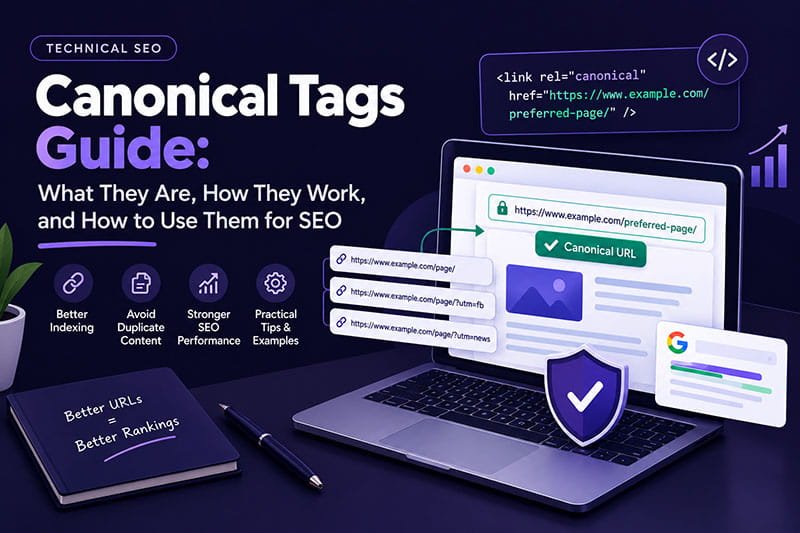
A canonical tag at a surface level, it seems quite plain. However, canonicalization is definitely one of the most important tech SEO concepts as modern websites are able to generate many URLs for the same actual content.
The basic implementation looks like this:
<link rel=”canonical” href=”https://www.example.com/preferred-page/” />
A post can have tracking parameters and be accessible via other ways. Different e-commerce products can pop up from several category paths. Search result filters, etc.
HTTP and HTTPS versions can exist. Site changes may result in former URLs still being available. Global sites may have regional and language variants too. JavaScript apps, for instance, could be one of the factors causing the URL changes, either by creating or modifying URLs.
Thus, the task for a search engine is to find out which URL represents, so to speak, the main, the original, the underlying content. That is what the term canonicalization means for Google.
According to Google, defines canonicalization as the identification of that specific URL (called canonical) to be the most representative version of the page among a set of duplicates or near duplicates. Even in the absence of the website’s indication of canonical URL, one will be picked out by Google automatically.
The most important concept to understand from the beginning is this:
A canonical tag is a strong signal, not a guarantee that Google will select that URL as canonical.
While Google does use canonical signals, they aren’t the only thing that the search engine takes into account when identifying the most relevant and useful version of a page. For instance, if Google finds out that a different version of the current page better satisfies user intent, it would pick this page as the main one and ignore the page that uses the canonical tag to point out the main page.
In a few words, this article is all about canonical tags (also known as canonical links) – an HTML attribute that is used to point out the preferred URL of a group of pages which contain duplicate content or have very little difference between them. From the very beginning (basics), all the way to advanced topics that a technical SEO expert might deal with while optimizing a website using, or not using canonical tags (duplicate content, URL parameters, redirects, XML sitemaps, internal linking, WordPress, e-commerce, JavaScript, international SEO, hreflang, website migrations, Google Search Console, troubleshooting, Semantic SEO, Entity SEO, E-E-A-T, and AI-search optimization), this article discusses all the areas which you should be aware of if you are going to handle canonical tags properly.
What Is a Canonical Tag?
A canonical tag is basically a <link> element in the <head> section of an HTML document which indicates the primary link of the page.
A standard canonical tag looks like this:
<link rel=”canonical” href=”https://www.example.com/seo/canonical-tags/” />
The rel=”canonical” attribute tells search engines that the URL specified in href is the preferred representative of the current content.
For example, suppose the same article is accessible at:
and:
and:
If the parameterized URLs contain the same primary content and the parameters are only being used for tracking, the clean URL can be declared as the canonical:
<link rel=”canonical” href=”https://www.example.com/canonical-tags/” />
This tells Google which URL you prefer to represent that content. However, the canonical tag does not automatically redirect visitors, delete duplicate URLs, or prevent users from accessing them. It is primarily a search-engine canonicalization signal.
What Is a Canonical URL?
A canonical URL is the preferred, official and the main URL which represents a given content page when a number of URLs are duplicating or showing almost the same version of that content.
Imagine that an e-commerce product can be reached through:
and:
and:
If these URLs represent essentially the same product content, the site may choose:
as the canonical URL.
The canonical URL is therefore the URL you generally want search engines to associate with the content in organic search. Google uses canonicalization to consolidate duplicate pages and generally uses the selected canonical as the primary source for evaluating the content and quality of the page.
What Is Canonicalization in SEO?
Canonicalization is the term that describes the process of choosing one unique or representative URL for a set of duplicate or substantially similar URLs.
For example, a website could have:
Google usually groups together similar looking URLs with a lot of the same content and then decides which one shall be representative. Your website itself has many ways by which you can tip the scales to your preferred version.
Currently, Google lists three main ways for you to tell clearly a preferred URL with which the site can be canonically associated and here is how powerful they are:
One of these methods which is the strongest signal, is permanent redirects.
To another category of the strongest signals comes the implementation of the “canonical” link type, which indicates the preferred version.
As a relatively weaker signal, the practice is to submit preferred URLs through the Google Search Console (sitemap feature).
Google also states that combining two or more signals gives a better opportunity to Google of the website deciding that the preferred URL is indeed correct.
This is one of the most important SEO principles when it comes to canonicalization.
You should not think in general:
“I put a canonical tag so Google can’t choose any other than the one I specified.”
Rather, consider the idea as:
“I have chosen a specific URL version. My website is going to keep reinforcing that decision by the various methods mentioned. ”
Why Do Canonical Tags Matter for SEO?
Canonical tags matter because websites can naturally create duplicate or very similar URLs. Having duplicate or very similar content is a normal thing for websites and duplicate content per se does not violate Google’s policies and spamming. The main issue is that having many copies of substantially identical content will result in more pages being crawled, less relevant results being reported, URL choices being complex, and overall inefficiency due to duplication.
Implement canonical tags to help search engines decide which content to show. If the web pages are different slightly, using the canonical tag will help you direct users and search engines to the original. This also means that the page is more likely to appear in the searches. Canonicalization enables you to direct your users better and it also means one page is going to get the credit. If you are looking for how your site is doing in the search results, the search data analysis is made more meaningful when all those pages are consolidated into the canonical one. So for a large site this becomes more important.
Such small sites are unlikely to have anything but a couple or a few of these parameterized URLs. On the other hand, a major e-commerce platform has the potential to create thousands or even millions of URL variations as a result of such features as filters, sorters, search bars, tracking, and category navigation. Hence, canonicalization has to be part of how we manage URLs for this case (i.e., URL governance).
How Google Chooses a Canonical URL
Google is more than just the canonical tag. When the search engine discovers that one website content is being copied from the other websites or it is substantially similar to it, it would probably consolidate them all so the content can’t be penalized, and at the same time Google can figure out the most representative page using its signals.
According to Google, aspects that are considered for canonicalization are: availability via HTTPS, having redirects implemented, sitemap inclusion, and rel=”canonical”.
They also explained in their own words that canonical selection is a matter of the best available signals, even though you have chosen another page as the canonical through your sitemap submission or internal links. Hence, canonicalization can ultimately be described as a signal-consistency issue.
We’ll assume that your favorite URL is:
The strongest method of the implementation typically will include a canonical tag pointing to that page, internal links pointing to it, the sitemap listing that URL, and any old duplicate URLs redirecting to it permanently where appropriate. The more consistent the signals, the less confusion you will cause
Canonical Tags Are a Hint, Not a Command
This is most possibly the single most important canonical SEO concept. Just because you include a canonical tag does not mean that you can make Google always select your main URL. If Google thinks that another version of your page is better in quality or is the most appropriate representative, it may pick a different URL.
An example to explain this further:
Page A
Canonical – Page B
Does not mean:
Google Canonical = Pages B
Google in this case could end up selecting Page A or some other URL if the signals around it point to that being a more representative version. Google’s present guidelines clearly state that canonical preferences are a ‘hint’ rather than a ‘rule’
Hence, when Google disregards a canonical tag, it would generally not be right to just add more canonical tags on the page. A more productive strategy is to examine why Google thinks another URL is more suitable.
How to Add a Canonical Tag
The basic HTML implementation is straightforward:
<link rel=”canonical” href=”https://www.example.com/page/” />
The canonical link should appear in the <head> of the HTML document.
Google recommends using an absolute URL rather than a relative URL.
Preferred:
<link rel=”canonical” href=”https://www.example.com/page/” />
Less desirable:
<link rel=”canonical” href=”/page/” />
Google supports relative paths, but recommends absolute URLs because they reduce the possibility of errors caused by environments such as testing or staging sites. The canonical URL should also be a valid URL that represents the content.
What Is a Self-Referencing Canonical?
Putting the canonical on the same page with which it is related is called the self-referential canonical. The page will get the canonical tag by means of the self-referential canonical.
Lets say that the content page is;
then the page can put :
<linkrel=”canonical”href=”https://www.example.com/technical-seo/”/>
Google is of the view that one should put a self-referencing canonical tag into the same canonical page. By using a self-referential canonical, it is shown to Google that “Here is the URL that should be indexed.” Situation of self-referencing canonicals on important indexable pages is very helpful because they establish a clear preferred URL even when duplicates are not clearly visible yet.
Do You Need a Canonical Tag on Every Page?
Depends on the circumstances. It is possible that Google will figure a site’s canonical URL automatically if you don’t state one. According to Google, there is no canonicalization requirement as its systems will typically pick the right URL automatically.
That being said, manually indicating canonical URLs is helpful if your website has URLs that are duplicates or largely similar and you have one that you prefer over the others.
The better question is not:
“Does every page have a canonical tag?”
The better question is:
“Does every major piece of content of yours have a single clear preferred URL?”
In the case of such a clear “yes” answer, your use of canonical links becomes a much stronger statement than just verifying whether your pages actually have the <link rel=”canonical”> element.
Canonical Tags and Duplicate Content
Duplicate content is arguably the chief cause that leads to the need of canonicalization.
Here we see an example of
and:
Provided both pages essentially present a single main content, the parameterized URL does not necessarily require being a different search result.nThe clean URL could then be the one to be the preferred canonical.
However, there is a significant distinction to be made here between duplicate and similar content. It is quite possible that two pages could have the same overall theme without them being duplicates.
Take these two pages for instance:
Best Running Shoes
and:
Best Running Shoes for Beginners
The two pages may contain common themes and references but are created to support different search needs. For instance, if a person searches for “Best Running Shoes,” then automatically redirecting them to “Best Running Shoes for Beginners” would take away a legitimate helpful page from the results of their search.
Thus, the role of Semantic SEO is highlighted once more. The existence of a semantically close similarity between two web pages doesn’t equate to having the same URL, i.e., URL duplication.
Canonical Tags and URL Parameters
URL parameters are among the most common causes of alternate URLs.
Examples include:
?utm_source=
?utm_medium=
?utm_campaign=
?sort=
?filter=
?color=
?size=
?session=
The correct canonical strategy depends on what the parameter actually does.
A tracking parameter such as:
?utm_source=facebook
usually does not create a new piece of content.
A product filter such as:
?color=red
might create a useful landing page, or it might simply create a temporary filtered view.
Therefore, you should not automatically canonicalize every parameterized URL.
Instead, determine whether the URL represents:
the same content,
substantially similar content,
or a genuinely different search intent and useful page.
Canonicalization should follow the content relationship rather than the existence of a parameter.
Canonical Tags and Tracking URLs
Tracking URLs are a common example of duplicate URL generation.
For example:
and:
The tracking parameter exists for analytics rather than content differentiation.
The preferred canonical would normally be:
This keeps the search-facing URL clean while allowing campaign tracking to continue.
Canonical Tags and HTTP vs HTTPS
Protocol variations can create duplicate URLs.
For example:
http://example.com/page/
and:
Google generally prefers HTTPS over equivalent HTTP URLs as canonical, provided there are no conflicting technical problems.
A strong website architecture should therefore use HTTPS consistently.
Internal links should use HTTPS.
Canonical URLs should normally use HTTPS.
XML sitemaps should use HTTPS.
Permanent redirects should generally move HTTP traffic to HTTPS.
The goal is to make the preferred protocol unambiguous.
Canonical Tags and WWW vs Non-WWW
A website can also exist through multiple hostname variations:
and:
Both may technically work.
From an SEO architecture perspective, however, it is better to establish one preferred hostname.
If www.example.com is your preferred version, then your canonical URLs should normally use that hostname, your internal links should use it, your sitemap should use it, and alternative hostname URLs should redirect to it where appropriate.
Canonical tags can support the preference, but permanent redirects are more appropriate when the alternative URL should no longer remain accessible as a separate version.
Canonical Tags and Trailing Slashes
These URLs can technically be different:
and:
Your website should establish a consistent URL convention.
If your preferred URL is:
then internal links, canonical tags, sitemap URLs, and redirects should consistently reinforce that format.
Consistency reduces unnecessary URL ambiguity.
Canonical Tag vs 301 Redirect
Canonical tags and permanent redirects are separate and different from each other. If an old web page is permanently moved to a new one, a 301 permanent redirect will inform search engines and your browser about it. A canonical tag informs a search engine as to which URL should reflect the content while the original URL can be accessed and viewed.
Pretend for a moment that an article has been moved forever from:
to:
In such a case, a 301 redirect is generally the most suitable method.
On the other hand, two very similar web pages might be needed for the business without any duplication. Using a canonical tag may be appropriate then.
Redirects are a strong indication for Google that the content has moved, so if you have two URLs with identical or very similar duplicate content and would like to remove one then redirecting would be the way to go.
Here are some ways of viewing this:
Redirect = this webpage has changed its address.
Canonical = this URL is an alternate representation of content whose preferred URL is elsewhere.
Canonical Tag vs Noindex
A canonical tag and noindex solve different problems.
A canonical says:
“This URL should be represented by another URL.”
A noindex directive says:
“Do not include this page in search results.”
Google specifically does not recommend using noindex to prevent selection of a canonical within a single site because noindex completely blocks the page from Search, whereas rel=”canonical” is the preferred solution for canonical selection.
Therefore, do not automatically replace canonicalization with noindex.
First identify the actual SEO objective.
Canonical Tag vs Robots.txt
Robots.txt tells crawler whether they can request resources. Canonical tags make clear URL relations. They are not replacements. Google clearly says that robots.txt is not to be used for canonicalization. If a URL is blocked by robots.txt it may still get indexed even though its content gets not crawled and analyzed.
If what you want is:
“This duplicate URL should be linked to a preferred one”,
canonicalization is the right idea.
If what you want is:
“I want to determine whether the spider requests this file”,
robots.txt might be the file for that.
These decisions are at the technical SEO level and you should be aware of the differences.
Canonical Tags and XML Sitemaps
Google considers sitemap inclusion a weaker signal than redirects and rel=”canonical”, but sitemap URLs still communicate which pages the site considers important and preferred.
If your preferred URL is:
your sitemap should normally contain that URL.
It should not unnecessarily contain:
if that URL is simply a tracking variation.
The important principle is consistency.
Your sitemap should support your canonical strategy rather than contradict it.
Canonical Tags and Internal Links
Internal linking is another important part of canonicalization.
Suppose your preferred URL is:
Your internal links should generally point directly to that URL rather than unnecessary duplicate variations.
For example, avoid repeatedly linking to:
when the clean URL is the preferred version.
Google specifically recommends linking internally to the canonical URL rather than duplicate URLs.
This makes internal linking part of canonical governance.
Canonicalization as a Signal-Consistency System
A strong canonical strategy is not one HTML tag. It is a network of consistent signals.
Imagine your preferred URL is:
The strongest architecture would generally have:
Canonical:
Internal links:
Sitemap:
Preferred protocol:
HTTPS
Preferred hostname:
www.example.com
Old URL:
301 → https://www.example.com/page/
Now the website is communicating the same preference through multiple systems. Google says canonicalization methods can stack and become more effective when combined.
Canonical Tags for WordPress
WordPress websites usually produce canonical tags by WordPress itself or by means on the WordPress SEO plugins. This is fine and automatic, but it is also wise to verify whether everything is alright because automatic is never equal to perfect. A WordPress site must still be checked to confirm that the canonical tag refers to the target URL.
Frequently, following these events, problems arise:
- plugin configuration changes,
- URL structure changes,
- site migrations,
- domain changes,
- staging environments,
- custom themes,
- custom code,
- or conflicting SEO plugins.
Google also suggests that CMS platforms and plugins can create the wrong canonical tags. In the case of WordPress, to check the canonical tag correctly, it would be best to inspect and double-check the final HTML output rather than just looking at plugin settings screen.
WordPress Canonical Example
Suppose the article URL is:
The page should ideally contain:
<link rel=”canonical” href=”https://example.com/canonical-tags-guide/” />
If the site unexpectedly generates:
<link rel=”canonical” href=”https://example.com/” />
that is a serious configuration issue.
Likewise, if two different SEO systems generate different canonical URLs, the site is creating conflicting signals.
Canonical Tags for E-Commerce Websites
To be fair e-commerce websites usually face the toughest challenges when it comes to canonicalizing the right URLs since the same product can be presented via different navigation paths.
Let’s say your product could be found here:
/products/running-shoes//shoes/running/running-shoes//category/running/?product=running-shoes
as well as other URLs that might have different parameters:
/products/running-shoes/?color=black
Deciding what is the actual canonical URL depends on whether these are just alternate URLs for the same product content or the pages themselves are really useful for search purposes. You can say then, your product architecture, search intent, content uniqueness along with indexation targets should form the basis of your canonicalization scheme.
Canonical Tags and Faceted Navigation
Faceted navigation allows users to filter products or content by attributes such as:
- color
- brand
- size
- price
- material
- rating
- availability
- category
A large e-commerce website can potentially create thousands or millions of combinations. However, not all combinations necessarily have to produce a search indexable page. Some of the filter combinations reflect true users’ search intention. Other such combinations might be the cause of thin pages, or temporary or duplicate content pages.
It’s true that canonicalization is the go-to fix for similar URLs, but it shouldn’t become a lazy way to automatically canonicalize all filtered URLs just like that. The right way is to figure out which filter attributes warrant their own unique search visibility versus just being URL states that users could navigate to.
Canonical Tags and Pagination
Pagination needs to be handled correctly because pages in the same paginated series are not always duplicates.
Consider:
/blog/
/blog/page/2/
/blog/page/3/
If these pages contain different articles, they are not simply duplicate copies of page one. Canonicalizing every paginated page to the first page can therefore be inappropriate. The correct approach depends on the site’s actual architecture and whether each URL provides unique, useful content.
Canonical Tags and Category Pages
A category page is not automatically a duplicate of the articles within that category.
For example:
/technical-seo/could be a category hub.
An article might be:
/technical-seo/canonical-tags/These URLs have different purposes.
The category organizes a topic.
The article explains a specific topic.
Therefore, the category should not automatically canonicalize to the article.
Canonicalization should follow content equivalence, not merely topical similarity.
Canonical Tags and Similar Content
This difference is a key highlight of Semantic SEO.
Pages don’t need to be identical, just sharing some semantic features, to be related.
As an example:
and:
Canonical Tags Guide
have a common entity called Technical SEO.
They may also share terms such as crawling, indexing, URLs, Google Search, and search engines. This overlap does not imply, however, that one of the pages is to be canonicalized by the other.
Actually, they can constitute an article series on this topic.
It is in this place where Semantic SEO and canonicalization converge:
- Semantically related content brings together all the pages.
- For duplicates or very similar variants the canonical tag comes into play and helps to merge them.
- Don’t confuse one for the other.
Canonical Tags and JavaScript Websites
JavaScript-powered websites introduce additional canonical considerations. We are advised by Google to state the canonical version of the page most clearly. In case of client-side rendering, you should specify your canonical link in the HTML, and make sure that JavaScript does not modify your link tag without your permission. This point is especially valid for modern JavaScript frameworks.
Technically the page may show fine, but the canonical URL after rendering may not coincide with the server canonical. Detailed examination of both HTML and rendered output when needed is part of technical SEO verification.
Canonical HTTP Header for PDFs and Other Non-HTML Files
Canonicalization is not limited to HTML pages.
Google supports the rel=”canonical” HTTP response header for non-HTML documents such as PDFs.
For example, a server could return:
Link: <https://www.example.com/white-paper/>; rel=”canonical”
This can be useful when multiple formats represent substantially the same content.
For example, a PDF might contain a printable version of a webpage.
The HTTP canonical header can communicate the preferred URL without modifying the PDF’s HTML—because a PDF does not have an HTML <head> in which to place a canonical link.
HTML Canonical vs HTTP Canonical Header
You can specify a canonical in two main ways:
The first option is to use an HTML <link rel=”canonical”> element.
Another way is to use a HTTP Link response header.
In fact, Google recognizes and supports both these methods.
But Google recommends the use of one method only and not both at the same time since use of both may lead to unnecessary errors when the two specify different URLs.
In most cases, when it comes to regular HTML pages, the HTML canonical tag is the easiest choice to implement.
In case of non-HTML resources, for instance, PDF files, HTTP header can be the right choice.
Canonical Tags and International SEO
International sites need special attention because different language or regional versions can be very close to each other.
Example:
/en/seo-guide/
/fr/seo-guide/
may be covering the same subject but in different languages. It is a mistake to treat them as duplicate pages just because the topic is the same.
According to Google’s canonicalization documentation, language variants can be considered duplicates only in very specific cases, especially if the main content of the page remains largely in the same language. Hence, from the standpoint of international SEO, it is necessary to synchronize the usage of canonical URLs with hreflang.
Canonical Tags and hreflang
In terms of their purpose, canonicalization and hreflang are two different things. To simplify, canonicalization tells which URL is the original or reference (primary) one for a piece content. In a multi-language setup, hreflang will show your users the most relevant language or regional variation of a website by detecting their location or language. Therefore they are the answers to two different questions.
To keep your multi-languages (and regions) content healthy, Google suggests, in particular, to use hreflang and canonicalization together if one language version is going to the another. This advice shows us how international SEO should not be treated in a way of ignoring either canonical or hreflang systems as competitors. Rather, they should be complementary tools.
Canonical Tags and Cross-Domain Content
Canonical tags can also be used in legitimate cross-domain situations where substantially similar content exists on different domains.
For example:
example.com/article/and:
publisher.example/article/may contain the same underlying article.
A cross-domain canonical can communicate which URL should represent the content.
However, cross-domain canonicalization should be used carefully.
If the real objective is to permanently move an entire website from one domain to another, permanent redirects are generally the more appropriate migration mechanism.
Google’s documentation distinguishes canonicalization from domain migration and recommends redirects when duplicate URLs should effectively be replaced
Canonical Tags During Website Migration
Website migrations are among the cases where having canonicalization issues can lead to huge setbacks.
You decide to change site:
You will get:
A correct move should link the new URL as the target via 301 redirects. The new URL must also refer to itself in the canonical element.
Internals links have to update too. XML sitemaps have to get the latest version. HTTPS/hostname preferences have to remain the same. Besides migration redirects, canonical tags can help to define what are the main URLs but they should never substitute such redirects.
Canonical Chains
Canonical chain is the situation where one page’s canonical reference points to another page which in turn has a canonical that points forward:
URL A
↓
URL B
↓
URL C
In most instances, the better layout would be:
URL A
↓
URL C
depending on the circumstance. Canonical chains introduce unnecessary intricacy. With the presence of a multitude of canonical chains, one must conduct an audit, examine the last destinations, and make the canonical relations the most immediate as possible if the site is large.
Canonical Loops
Canonical loop is the condition where URLs point to each other:
URL A → URL B
URL B → URL A
This is a situation where conflicting signals are generated. The company is to select one preferred URL, for example. Canonical loops happen mostly as a result of faulty logic in content management systems (CMS), plugins, custom development, or errors that happen during a website migration.
Multiple Canonical Tags
The normal practice is for a page to have a single, clearly stated canonical declaration.
This is an example of a mistake:
<link rel=”canonical” href=”https://example.com/page-a/” />
<link rel=”canonical” href=”https://example.com/page-b/” />
Effectively, the site is telling search engines two different things it would prefer them to look at.
Usually, what’s happening is that different systems are generating meta-data. As an example, it may be an SEO plugin that adds one canonical link and the custom theme code that adds another one.
Hence, technical reviews are supposed to verify the end HTML code rather than taking for granted that the settings in plugins are what search engines actually see.
Canonicalizing to a Redirect
Imagine the following case:
Page A
canonical → Page B
However, Page B permanently redirects to Page C.
The preferable and more efficient arrangement is as follows:
Page A
canonical → Page C
Page C being, in fact, the end point of the URL preference chain.
This removes one superfluous intermediary layer between the duplicate URL and the desired final URL.
Canonicalizing to a 404
Semantically, pointing the canonical to a page that doesn’t exist is wrong.
If the canonical is
and the URL is invalid (404) then the canonical strategy has failed.
The URL to appear in canonical form should be a working URL that serves the correct content that the webpage stands for.
Canonicalizing to an Unrelated Page
Pointing a page to completely unrelated URL is among the worst canonical mistakes
To put it in another way:
Article about Canonical Tags
canonical → Homepage
merely because homepage is believed to be the most important page on the website.
This is exactly the opposite of what canonicalization should be and what its purpose is in a way.
The main page you point to with your canonical should really show you the same or substantially similar content.
Putting canonical tags is not a way of moving SEO power from a bunch of pages to another one in case they are not connected in any way.
Why Google May Ignore Your Canonical
If Google picks the page you didn’t indicate in the canonical, then you might not be the only one with such a problem.
Google’s current troubleshooting documentation identifies several potential causes, things like bad canonicals on your website, redirects that don’t work properly, local content setup, server misconfiguration, content syndication, hacked sites which inject unwanted redirects, or even cross-domain canonical tags in the canonical tags area.
So the very first question to ask yourself would be:
Does the canonical Google chose really help the users find the content?
If the answer to this is “yes”, then, most likely, nothing changes for you, and you don’t lose any positions.
If the answer is “no”, then it is a good idea to look at the signals that might have caused Google’s decision and find a way to fix them.
Google-Selected Canonical vs User-Declared Canonical
Search Console can display two concepts.
User-declared canonical: the URL your site is telling as its preferred choice.
Google-selected canonical: the URL that Google actually selected.
The two are not always the same.
Case in point:
User-declared:
Google-selected:
This does not automatically suggest Google is broken.
It indicates that, according to Google’s systems, this other URL is a better representative of the content.
The purpose of the audit is to understand why.
How to Fix “Google Chose a Different Canonical”
- Take a look at the Google Search Console page report of the page in question.
- Compare the user-declared canonical URL with the one selected by Google.
- Next, check if those two URLs contain nearly the same content or not.
- If they aren’t, likely a canonical declaration on your site is wrongly made.
- However, if they are, go on and look at the redirects.
- After that, check the internal links.
- Next, look at the XML sitemap as per the page.
- Check if HTTPS is active and the hostname remains the same.
- If the website is multilingual or targeting different regions, you would also have to check the hreflang tags.
- Look at the HTML source code and verify if duplicate or wrong canonical tags are set.
- Finally, ensure that neither servers nor content management systems are creating unexpected redirects or metadata.
- URL Inspection is the feature that Google itself recommends for such analyses.
How Long Does Canonicalization Take to Update?
The process of canonicalization is not an necessarily instantaneous. Once the canonicalization related issues are fixed, the concerned URLs need to get re-crawled and re-processed by Google. According to Google’s current troubleshooting document, it is possible that a page could stay in the same duplicate cluster for almost a month. In that time period, the more distinctive, the clearer is the difference in content.
Hence, it should not be a way to keep changing the canonical tags just a few hours apart. Instead, you should do a clean and complete correction, let Google crawlers come by and index the changes, and you keep eyes on the results. As for really important URLs, the Search Console’s Request Indexing feature could help you in requesting the crawling once more, even though there was already a mention from Google that the feature should be reserved solely for really significant URLs and that it is subject to quotas.
Canonical Tags and Content Quality
Imagine that you have two different URLs presenting very similar pages with low-quality content.
After that:
<link rel=”canonical” …>
It is not that the content will become a resource of high quality.
Canonical tag is a wayBeyond doubt, a canonical tag will not make your content great.
of solving the problem of having many different versions or representations of a same web page that can confuse crawlers and dilute link equity.
Quality of content is what makes a website valuable in the eyes of users.
Though URL canonicalization and content quality are closely related, it is better to distinguish the two SEO topics.
The right SEO tactic will, therefore, involve:
- clear URL architecture
- high-quality content
- strong internal linking
- technical accessibility
- structured information
- consistent canonical signals
Canonical Tags and Semantic SEO
Semantic SEO focuses on relationships between concepts rather than isolated keyword repetition.
Canonicalization fits naturally into this framework.
For example:
Canonical Tag
relates to:
Canonical URL
which relates to:
URL Canonicalization
which relates to:
Duplicate Content
which relates to:
Crawling
Indexing
Redirects
Internal Linking
XML Sitemaps
URL Parameters
Google Search
and Technical SEO.
A strong canonical pillar page should explain these relationships naturally.
This gives readers a complete mental model instead of forcing them to visit multiple disconnected pages to understand one technical concept.
Canonical Tags and Entity SEO
Entity SEO is about helping search systems understand identifiable things, concepts, technologies, organizations, and relationships.
For this topic, important entities include:
Google Search
Googlebot
Google Search Console
Canonical URL
HTML
HTTP
HTTPS
XML Sitemap
robots.txt
WordPress
JavaScript
hreflang
Structured Data
and Technical SEO.
The purpose is not to stuff entity names into the article.
Instead, the article should explain how these entities interact.
For example:
Google Search Console helps diagnose canonicalization.
XML sitemaps communicate preferred URLs as a weaker canonical signal.
Internal links reinforce preferred URLs.
Redirects provide a strong canonicalization signal.
rel=”canonical” communicates a preferred representative URL.
This creates a coherent semantic relationship graph.
Canonical Tags and E-E-A-T
When a technical SEO piece discusses canonical tags and such it is more important to present it as a fact rather than making confident sounding claim without supporting evidence.
A good canonical guide can make clear differentiation of:
those things Google has officially published,
those things that can be inferred from the technical setup,
and those that are just the best practices for SEO.
For instance, stating:
“Canonical tags get you top rankings”
would not be a correct statement at all.
On the contrary, the following would be a more accurate explanation:
Canonical tags help web crawlers to recognize which URL your site is pointing to as the preferred version of a substantially similar content page, although, Google may decide a different canonical.
This difference is crucial because it depicts the way Google itself describes its canonicalization algorithm.
Canonical Tags and AI Search Optimization
Search engines that are powered by AI more and more are relying on page interpretation. One of how they could use it is by understanding the relationship among pages, entities, URLs, sources etc.
In such an environment, Canonicalization can provide a strong anchor for important content by making a preferred URL stable Suppose a given article is accessible through five differently parameterized URLs, then putting all five into one through canonicalization means that the content will be perceived by all the bots as a single article.
The use of canonical tags, however, is not an “AI ranking trick.” Avoid the temptation to see it as such. It is just a technical SEO tool.
We should instead think of AI search optimization in terms such as:
- clear information architecture
- strong topical coverage
- entity clarity
- factual accuracy
- accessible content
- structured relationships
- authoritative sourcing
With the implementation of Canonicalization, the architecture would be enhanced as URL ambiguity which would lead to crawling errors, is minimized.
Canonical Tags and Topical Authority
A canonical page can serve as the central resource within a topical cluster.
For example, a Technical SEO cluster could contain:
Technical SEO
│
├── Canonical Tags
├── XML Sitemaps
├── Robots.txt
├── 301 Redirects
├── Internal Linking
├── Crawling
├── Indexing
├── URL Structure
└── Duplicate Content
The Canonical Tags Guide becomes the central resource for canonicalization. Supporting articles can explain adjacent concepts in greater depth. The pillar page links contextually to them. They link back to the pillar page where relevant. This creates a semantic content network rather than a collection of isolated articles.
Canonical Tags and Information Architecture
A clean site architecture makes canonicalization easier.
Imagine:
/technical-seo/
/technical-seo/canonical-tags/
/technical-seo/redirects/
/technical-seo/xml-sitemaps/
/technical-seo/robots-txt/
Each page has a distinct purpose.
Each important topic has a primary URL.
Internal links establish relationships.
Canonical tags reinforce URL identity.
Sitemaps reinforce preferred URLs.
Redirects handle obsolete URLs.
This is the ideal relationship between technical SEO, Semantic SEO, Entity SEO, and information architecture.
A Practical Canonical Decision Framework
When deciding what to do with a URL, begin by asking:
Does this URL contain genuinely unique content and search intent?
If yes, it may deserve its own canonical and search visibility.
If the content is substantially the same as another URL, ask:
Should both URLs remain accessible to users?
If not, a permanent redirect may be more appropriate.
If both need to remain accessible, a canonical may be appropriate.
If the page should genuinely not appear in search, an indexing directive such as noindex may be appropriate depending on the situation.
If the issue is crawler access rather than canonical selection, robots.txt may have a role.
This framework prevents the common mistake of treating every URL problem as a canonical-tag problem.
Canonical Audit: A Step-by-Step SEO Process
A proper canonical audit begins with URL discovery.
Identify duplicate and near-duplicate URLs across the website.
Look for parameters.
Look for alternate protocols.
Look for hostname variations.
Look for duplicate category paths.
Look for tracking URLs.
Look for pagination.
Look for faceted navigation.
Look for old migration URLs.
Look for duplicate content generated by the CMS.
Then examine the preferred URL for each group.
Check the HTTP status.
Check the canonical tag.
Check whether the canonical target redirects.
Check whether it is indexable.
Check internal links.
Check the XML sitemap.
Check HTTPS.
Check hreflang where applicable.
Finally, compare your preferred canonical with Google’s selected canonical using Search Console.
This turns canonical auditing into a repeatable technical SEO workflow rather than guesswork.
Canonical SEO Checklist
You should not assume that a canonical is implementation-wise complete or that the canonical’s URL represents the content it is pointing to unless and until you have verified it.
Ensure that the canonical URL can be validated and opened at least once without any issue.
Specify a full URL.
Keep the canonical tag in the HTML <head> when you have an HTML canonical.
When HTTPS is the preferred site protocol, use HTTPS.
Have only one canonical pointing clearly at another, rather than a number of different ones being conflicting with each other.
Don’t create canonical chains, i.e., a page A which is pointing to page B and B is pointing to C.
Don’t create canonical loops i.e., page A references page B and B refers back to page A and so on.
Be careful with the canonicalization of unrelated pages.
Avoid using robots.txt as a means for canonicalization.
Noindex should not be used instead of canonicalizing same-site pages.
Be consistent with the internal links pointing at pages you’ve chosen as canonical.
Set the URLs in your sitemaps according to what is your choice of canonical page, and also keep them updated.
An old URL should be moved via a redirect only if it has been permanently changed.
For multilingual sites, coordinate canonicalization with the use of hreflang.
JavaScript-based implementations should be checked closely by you.
For HTTP-based documents that are not HTML e.g., PDF, use the canonical header when applicable.
Look into Google-selected canonical if you’re concerned through Google Search Console.
Implementing these practices will help follow closely what it recommended by Google regarding canonicalization at this time.
Common Canonical Tag Mistakes
- An example of an error is the belief that each similar page needs to be redirected to only one URL.
- A common mistake is to canonicalize pages which have their own content because they have identical keywords with another page.
- A mistake is to use the homepage as the canonical source for irrelevant content.
- A mistake is to canonicalize a redirect.
- A mistake is to canonicalize a URL whose server returns a 404 response.
- A mistake is to include more than one canonical tags in one document).
- A mistake is when the sitemap lists a URL that is different from that declared in the canonical tag.
- Also, if different URLs are canonicalized while duplicate content is being linked internally, it could lead to some confusion.
- It is also a mistake to restrict search engines by means of robots.txt, while at the same time thinking that Google won’t be able to index duplicates.
- It is a common mistake to misuse the noindex directive when in fact the real aim is to consolidate the page content through canonicalization.
- Another common error is trusting a plugin or CMS to create canonical URLs without knowing them properly.
- One should also remember that Google can pick a different canonical URL than what is specified in the HTML tag.
The underlying idea is straightforward:
Issues with canonicalization mostly arise through conflicting signals, rather than the absence of a single HTML tag.
Frequently Asked Questions
What is a canonical tag in SEO?
A canonical tag also called canonical link element, is an HTML tag which gives a signal to a search engine (especially Google) which URL should be considered the canonical version of a page especially when many identical or almost identical copies of the page are accessible through different URLs.
What is a canonical URL?
Canononical URL is the representative URL chosen either manually or automatically by the system as a preferred one from the duplicated or near-duplicated URLs of a specific content.
Does Google always follow a canonical tag?
Well, the answer is no. Google perceives a canonical declaration as an informative hint or a suggestion rather than an absolute command. They might select an alternative URL if their algorithms determine it to be more accurate/representative of the content.
Is duplicate content a Google penalty?
No duplicate content per se, that is not against the policies of Google. However, duplicate and over-optimized web pages can lead to the following problems: search engine crawling, users’ experience, and canonicalization-related problems if not handled properly.
Should every page have a self-referencing canonical?
Incorporating a self-referencing (same URL) canonical on each HTML page is a recommended practice, particularly for major indexable pages. Nonetheless, technically it is not mandatory to apply canonical tags for every page as Google has the capability to determine canonical page automatically.
Is canonical better than a 301 redirect?
There is no one answer to this question. For instance, a permanent redirect is the best when the user moves to a new website or changes the structure. A canonical page is right to use if several similar URLs are online, but one is chosen as the main version.
Can canonical tags prevent indexing?
No, they won’t. A canonical page tag identifies which URL has the authoritative or primary version of the content. There is a big difference between canonical tags and noindex meta tags.
Can I use robots.txt instead of canonical tags?
Indeed, using robots.txt as a substitute for canonical tags is strongly discouraged by Google in their help document.
Can canonical tags point to another domain?
Yes, technically possible to have a canonical tag pointing to another domain if the content relationship justifies it. Still, such cases should be rare when the duplication is accidental between unrelated websites, i.e., the content on the other website is very similar to yours.
Should canonical URLs be in XML sitemaps?
Favorably yes. The Google Search Console documentation says the use of sitemaps is a weak signal of canonicalization. Still, it is a signal of a page’s importance and its inclusion in a sitemap can help to reinforce that the page is an official one if one of these things has to go against a redirect or rel=”canonical”
What happens if Google chooses a different canonical?
Use Search Console’s URL Inspection tool to compare Google’s selected canonical with your declared canonical and investigate the conflicting signals.
How long does Google take to update a canonical?
It would be a mistake to make predictions or expectations as these depend on various factors such as Google’s index, but Google’s current problem-solving article says that duplicate content issues in a website cluster take about two weeks to resolve.
Can I canonicalize a page to the homepage?
If your homepage is essentially the same as the other pages then that is a possibility. Otherwise, using the homepage as a canonical destination for other pages that are quite different from it is just plain wrong.
Can canonical tags be used on PDFs?
Yes. Google supports the rel="canonical" HTTP response header for non-HTML documents such as PDFs.
Can JavaScript change canonical tags?
It can, but Google recommends making canonical information as clear as possible in the HTML source and avoiding unexpected JavaScript changes to the canonical element.
The Relationship Between Canonicalization, Semantic SEO, and Entity SEO
- Canonicalization is sometimes treated as an isolated technical SEO task.
- That is too narrow.
- A modern search-friendly website has several layers working together.
- The technical layer ensures that search engines can crawl, render, and index the website correctly.
- The canonicalization layer establishes preferred URL identity.
- The semantic layer establishes relationships between topics and concepts.
- The entity layer establishes relationships between recognizable concepts, organizations, technologies, and resources.
- The content layer provides useful, original information.
- The internal-linking layer connects related resources.
- The structured-data layer provides machine-readable information where appropriate.
- The AI-search layer makes the content understandable and retrievable across modern search interfaces.
- Canonicalization sits at the intersection of these systems because every important piece of content needs a stable URL identity.
The Ultimate Canonicalization Model
A strong website should aim for a simple principle:
One important piece of content → one clear preferred URL.
That does not mean every URL on the web must disappear.
It means that when several URLs represent substantially the same content, your website should make the preferred representation obvious.
That preferred URL should ideally be supported by:
Preferred URL
      ↓
Canonical Tag
      ↓
Internal Links
      ↓
XML Sitemap
      ↓
Redirects where appropriate
      ↓
HTTPS
      ↓
Consistent URL Architecture
      ↓
Relevant hreflang configuration
      ↓
Google Search Console validation
When these systems agree, canonicalization becomes much more predictable.
Wrapping up
Canonical tags are simple in implementation but sophisticated in purpose.
The HTML itself may be only one line:
<link rel="canonical" href="https://www.example.com/preferred-page/" />But the decision behind that line can affect how search engines understand duplicate URLs, consolidate signals, crawl content, and represent your website in Search.
The most important principle is therefore not:
“Add a canonical tag to every page.”
It is:
“Create a clear preferred URL for each important piece of content and consistently reinforce that preference throughout the website.”
Use permanent redirects when a URL has genuinely moved.
Use canonical tags when substantially similar URLs need to remain accessible but one URL should represent the content.
Use noindex when the actual objective is to prevent a page from appearing in search, rather than trying to use it as a canonicalization substitute.
Use robots.txt for crawl-control purposes, not canonical selection.
Use XML sitemaps to reinforce the URLs you consider preferred.
Use internal links consistently.
Use hreflang correctly for international versions.
Use HTTP canonical headers when appropriate for non-HTML documents.
And when Google selects a different canonical, investigate the entire signal ecosystem rather than assuming that Google simply ignored one HTML tag.
Google’s current documentation emphasizes exactly this broader approach: canonicalization is a selection process, multiple signals can influence that selection, and Google’s chosen canonical can differ from the URL a site declares.
From a Semantic SEO perspective, canonicalization helps establish the relationship between content and its preferred URL.
From an Entity SEO perspective, it helps give important resources stable URL identities.
From an E-E-A-T perspective, the strategy should be technically accurate and transparent about limitations.
From an AI/LLM search perspective, it contributes to a cleaner information architecture in which important concepts, pages, and relationships are easier for automated systems to interpret.
And from a Pillar Page perspective, the Canonical Tags Guide should not exist as an isolated article. It should become the central canonicalization resource within a broader Technical SEO topical cluster.
That is the real purpose of canonicalization:
not merely telling Google which URL you prefer, but creating a website in which the preferred URL is obvious from the entire architecture.
Authoritative References
- Google Search Central: What Is URL Canonicalization
- Google Search Central: Specify a Canonical URL
- Google Search Central: Fix Canonicalization Issues